
Apparently I like finding rares. Now that I know the silver border means a rare spawn I'm aware enough to recognize them when I see them.
Sludginn in the Wetlands:
And while in Loch Modan in and near the Excavation Site: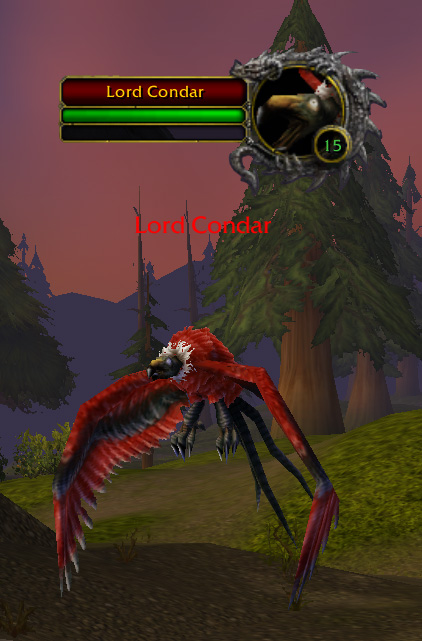

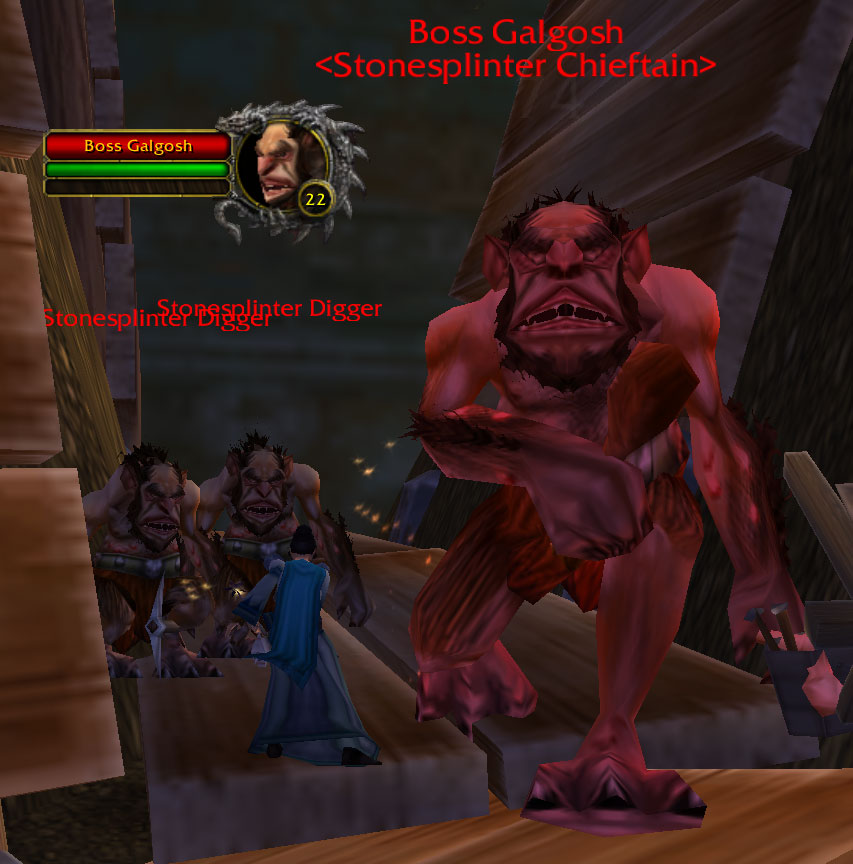
And the first rare I ever realized I was looking at:
The Clutchmother Strider in Darkshore: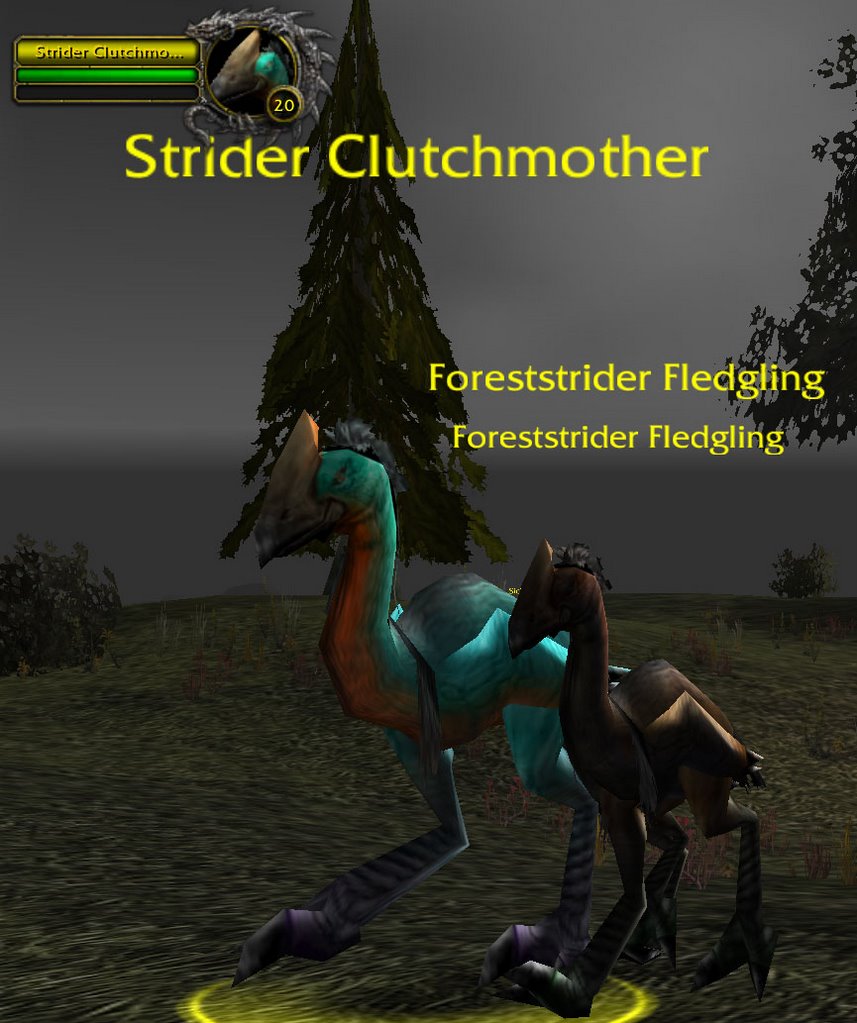
I knew she was different. When I looked her up in Thottbot I learned Silver=Rare in the comments.
So I decided to download a mod called Raretracker to help me find and track them. Last night I ran around Elwynn Forest picking up new rares.
Yup, this is another time sink waiting to happen.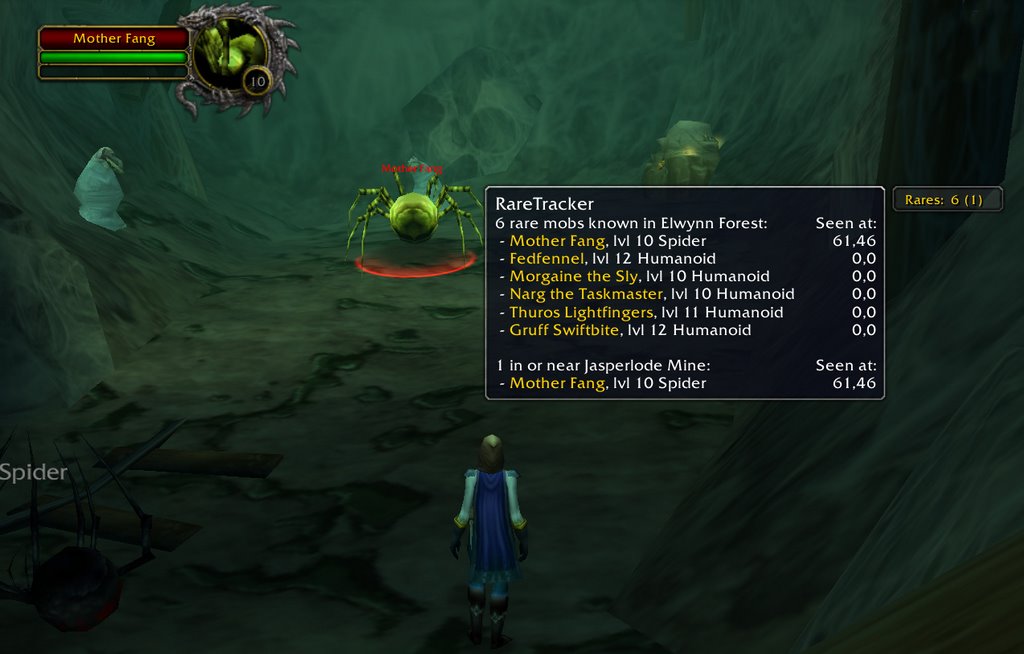
Oh - and p.s. yes, the fun part is killing them. :)
Links:
Raretracker on ui.worldofwar.net and Curse-gaming. I'm running version 1.5.3 with no problems.
Also my thanks goes to this Livejournal discussion where I learned about the Raretracker mod.
Tuesday, November 14, 2006
Raretracker
Sunday, November 05, 2006
Speed 100%
(Updated 2/22/2008 with data from Blizzard's Flying Mount Page)
I have to admit that I didn't realize when they said the "Turtle Mount wouldn't slow you down," and went at "100% speed" - apparently that means it's the same speed as run speed. I thought it meant it was the same speed as all other mounts. (Yeah, I musta skipped the day they talked about movement speed.) Figures. I should've known it was too good to be true to get a real mount before 40.
So I decided to make some crib notes on movement speed. My research pretty much consisted of some internet searching and a couple of days with a speed mod. Below are the results. I included links to some of the sources (identified with a letter or note of some sort because sometimes the same source provided multiple bits of speed data).
| Mode | Speed | Comments/Source(s) |
|---|---|---|
| Walk | 30% | Druid Table * |
| Swim (Normal) | 66% | Druid Table * |
| Druid in Prowl Form | 50-70% | Druid Table Thottbot-Prowl |
| Stealthed Rogue | 50-70% | Can be increased by talents. Post S |
| Run | 100% | Druid Table * |
| Druid Aquatic Form Swim | 100% | Druid Table |
| Druid in Travel Form | 140% | Druid Table |
Wisp Spirit (while dead) | 150% | 25% faster than normal ghost Source NER * |
| Standard Mount (Land) | 160% | Blizzard Source M * |
| Flight Public Transportation | 160% | Source P (#34) |
| Druid in Flight Form | 160% | Blizzard Source FM |
| Engineering Flying Machine | 160% | Blizzard Source FM |
| Epic Mount (Land) | 200% | Blizzard Source M, Source P (#34) Blizzard Source FM |
| Druid in Epic Flight Form | 280% | Blizzard Source FM |
| Engineering Turbo-Charged Flight Machine | 280% | Blizzard Source FM |
| Epic Flying Mount | 280% | Blizzard Source FM |
* = I saw this myself using the Speed mod.
WoWWiki on:
Druid Forms
Movement Speed
Disclaimers: ...estimates only.. blah, blah, blah, ... enchants, skills, etc., ... blah, blah, blah, ... all other disclaimers... I never should've deleted that druid... blah. blah. blah.
Sunday, August 27, 2006
Profitable Recipes <=225
After playing around with Fizzwidget's Reagent Cost and discovering the Shadow Hood, I wanted to see if there were more recipes than just that one that would yield me a nice profit (particularly with my tradeskill levels are capped at 225 since my profession alts aren't much more than level 20).
Top Four Tailor Recipes
| RECIPE Cost of Materials/Potential Sales Price/Net Profit | ||||
|---|---|---|---|---|
| Component | Shadow Hood 6./21/15 | Hands of Darkness 3/7/4 | Icy Cloak 2./5./3 | Red Mageweave Pants: 1/4/3 Vest: 1/3/2 |
| Bolt of Cloth | 4 Silk | 3 Silk | 3 Mageweave | 3 Mageweave |
| Thread | 1 Silken | 2 Fine | 2 Silken | 1 Silken |
| Potion | 1 Shadow Oil | 2 Shadow Protection Potion | 1 Frost Oil | |
| Item | 2 Heavy Leather | 2 Thick Spider's Silk | 2 Red Dye | |
Top Four Leatherworker Recipes
| RECIPE Cost of Materials/Potential Sales Price/Net Profit | ||||
|---|---|---|---|---|
| Component | Red Whelp Gloves 1/6/7 | Thick Murloc Armor 2/8./6. | Barbaric Bracers 3/7/4 | Shadowskin Gloves 4./9./4. |
| Leather | 4 Medium | 10 Heavy | 8 Heavy | 6 Thick |
| Thread | 1 Fine | 3 Fine | 2 Silken | 1 Heavy Silken |
| Hide | 1 Heavy | 1 Raptor | 2 Heavy 8 Shadowcat | |
| Item | 6 Red Whelp Scales | 12 Thick Murloc Scales | 4 Small Lust. Pearls 4 Large Fangs | 4 Shadowgem 2 Black Pearls |
I have a blacksmith too; she's over 225 or so but she didn't have anything with profit of more than 3 gold (which were the Jade Serpentblade and the Moonsteel Broadsword).
It was a lot of work to go through these recipes but it was tons of fun. I love "navigating" the economic part of the game; figuring it out; selling stuff; making a profit. Plus I love logging in and seeing that I have mail.
Especially when it has money in it. :)
Saturday, August 26, 2006
Mod: Fizzwidget Reagent Cost
I tried out a new mod the other day. This one is a little different. It's not something I'll use every day. Instead it's more of an analytical tool. It's called:
Fizzwidget's Reagent Cost
It analyzes:
- Auctioneer data
- Your learned recipe skills
Note - Auctioneer is a separate add-on that stores price data when you perform an "Auctioneer Scan" of the auction house. (Unfortunately it takes 15-20 minutes to do a scan.)
Then tells you which of your recipes will produce a profit and how much (based on the cost of the component parts and the possible sales cost of the final product). You just have to make sure you open the Auction House once and open your tradeskill window (to load the data) before you type "/RC report."
The results were quite interesting. I looked for the biggest profits. Since it weeded out the lowest profit makers I was pleased to see several recipes would make me a gold or two if I sold it on the auction house. I hadn't expected much because most of my characters' trade skills are 225 and below.
BUT THEN...
Boy was I surprised by something. There was an item that would yield an estimated 15 gold profit! With each sale. The results weren't easy to read but I scrolled up and carefully read through to see it was the "Shadow Hood" in my tailoring tree. Now I've done the buy low/sell high thing before. But never with something with such promise. I frankly doubted it would work. Luckily I have an alt who is an herbalist and an alchemist. I had the parts for some shadow oil (a 4-5 gold component if bought) and whipped some up. Then I put my first Shadow Hood auction up for sale.
The results? See for yourself:
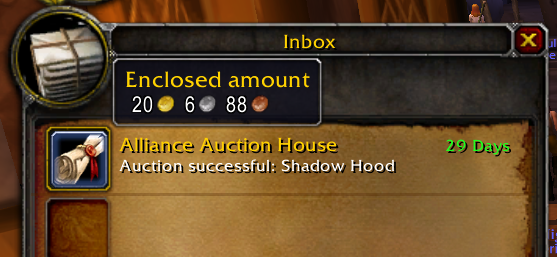
Links:
Update 10/4/06: I made 2 other Shadow Hoods at the same time I made the one above that sold immediately. But I STILL haven't sold the the other two! I keep putting them up, one at a time at the same prices but no takers... :(
Friday, July 21, 2006
AddOn: Fizzwidget AdSpace
Here's another Add On for World of Warcraft that I'd like to highlight. It's called Fizzwidget's Ad Spce.
With it I can see information about where a recipe can be bought (as applicable). I just have to mouse over the icon. Here's an example.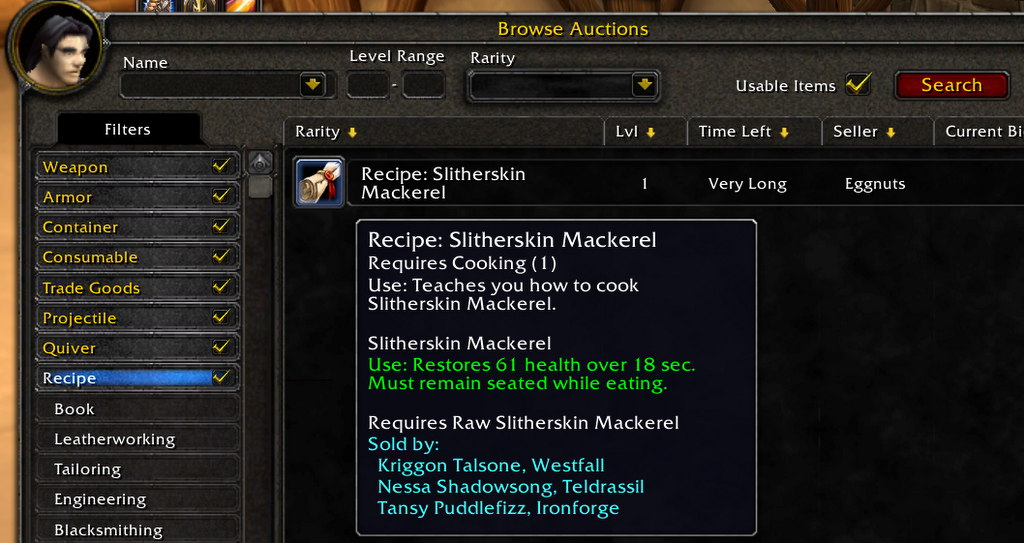
In the teal text above you can see that this recipe is "Sold by" 3 vendors. Their names and locations are provided. If you're interested, check out the ui.worldofwar.net page on Fizzwidget Ad Space.
Sunday, July 16, 2006
Highlighted Mods
Over the past six months, I've highlighted a few of my favorite AddOns, Interfaces and Mods, although certainly not all of them. Here are links to the specific posts:
Updates to the list:
What happens when Good Mods Die.
Saturday, June 03, 2006
Sell-O-Matic Add-On
One of my favorite add-ons is Sell-O-Matic. Download it at curse-gaming.com. I haven't found it on some of the other mod websites that I check.
Automatically Sell
Essentially what it does is instantly sell all your vendor trash (grey text items) any time you bring up a vendor's interface. Here's a picture of an item with grey text (meaning it has no value to anyone for any quest or recipe):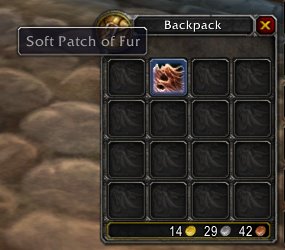 Won't Sell Darkmoon Faire Items
As you may know, there are a few items that, although they have grey text, they are wanted by NPCs at the Darkmoon Faire. The good news is that Sell-O-matic won't sell these automatically: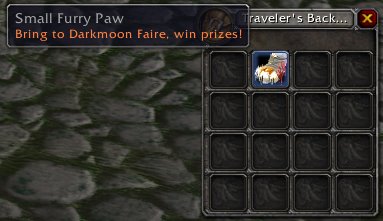 Add items to the Sell List:
One additional thing you can do is add any item to the list. Just type "/som add" then shift click the item you want to add and hit enter. Sell-O-matic will now also sell this whenever you visit a vendor. The command looks like this:
/som add [Raw Rainbow Fin Albacore]
Notice how it now tells me it will automatically be sold as I mouse over the item:
Global Settings
The settings you enter are effective for all of your characters. If you have a character who happens to WANT that item then you can remedy the situation by just visiting the "buy back" portion of the vendor's interface and purchase it back. Find more information about buying back items on the worldofwarcraft Merchant page.
If you think this mod is for you download it at curse-gaming.com. I'm glad I did.
Tuesday, April 11, 2006
Happy Dance - Benecast is back!
 | There are a couple reasons that I'm doing the Happy Dance:
Ok that's it; just those two reasons. My brother came over and told me that newer versions of Benecast work with Patch 1.10 (I downloaded it here from ui.worldofwar.net). So technically it never left; I just needed to update my mods. (Should follow my own advice, eh?) |
Seriously, if you're a caster in any way shape or form, you should try out the Benecast mod. Buttons line up under your own portrait as well as near the portrait of your target. If you want to (Ninja) Buff someone it will select the highest available version you have that will work with the level of that player. (No more - "Too High for that Level.")

Thursday, March 30, 2006
Many Mods Died to Bring You this Patch
 Just a few lines(*) in the the Patch Notes such as:
"You are no longer able to modify the Blizzard XML and Lua files."
And there was a great disturbance in the Force...
as if a million voices suddenly cried out in terror as their mods were suddenly silenced...
"What a crazy day it has been on ui.worldofwar.net. Well over 100 updated mods have been uploaded by mod authors, too many to list here, but if you have been experiencing mod issues then make sure you grab the latest versions. Thanks to all the mod authors who have updated so quickly and uploaded their new versions or new mods to the site."
"The low bandwidth version of wowinterface has been enabled because of the World of Warcraft 1.10 patch. Our site will go back to normal and this made an optional style again once traffic dies down in a couple days. We apologize for any inconvenience this may cause you."
Customizing the interface is a very technical endeavor, and you should not attempt it unless you have a good working knowledge of XML and Lua.
(* Actually there were a ton of UI Patch changes.)
Monday, February 27, 2006
Just in time - The Accountant Mod!
Accountant Mod - Just in time for Tax Season.
I love to play to conquer making money (buy low, sell high). Recently I found the accountant Mod and now I love checking it every day I play.
I can track how much money comes in and out
- on a daily, weekly or all-time basis
 by character
- and by purpose.

The Accountant mod is not perfect, but it feeds my need to see how I'm doing; kind of like a status bar for money. Here are some notes from my own experience:
- Auction Sales: Incoming Auction Money is listed under "Mail" rather than "Auction House." Disappointing.
- Same Name/Multi Servers: It gets a little confused if you have the same named character on more than server. It'll be fine if you want to view each one individually but only one of them will show up on the "All Chars" tab.
- Forward Basis: The mod tracks your activity from when you download it forward. It won't show your prior cash flows.
p.s. You can tell this screen shot is from one of my "hub characters" because there's no money for training, loot, rewards, repairs, etc... lol, poor thing has apparently been stuck in the cities since I downloaded the mod. In fact, if you look at the background, you can probably tell what building she is in and then decipher what one of my money making schemes is. :P And I have no worries anyone will steal my idea because its too nickel-and-dime (or should I say copper-and-silver?) for anyone else but me to be dumb enough to think it's a smart way to earn a living.
Tuesday, February 21, 2006
You are AUTODECLINED!
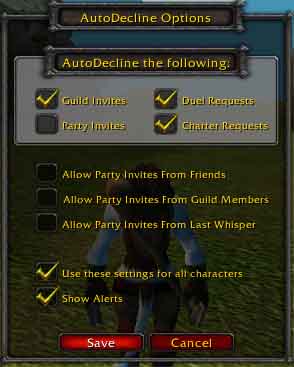
Autodecline Mod
It's a good thing that WoW isn't RL. Or else I'd be standing at my mailbox reading my mail when suddenly a complete stranger would slam the Crutchfield catalogue out of my left hand, slap the rest of my mail down that was in my right hand, hip check the mailbox closed and then hold a piece of paper within an inch of my face. A pen would then be hovering and expectantly twitching off to the side in my peripheral vision. This of course, is all in the hopes that I will sign the guild charter of a complete stranger who has no regard for interrupting people. And I HATE interuptions.
Enter the Autodecline Mod:
Once you've installed this, type "/ad" to bring up the option window you see here. Voila - no more guild charters in my face, no duel requests, whatever it is that you want to eliminate, you can here. Here's where I found it at curse-gaming: link to download the mod.
If it's trades that plague you, you're in luck. You don't need to download this to fix that. Hit "escape" and go into the "Interface Options." On the "Advanced" tab you'll see this at the top - it's an option to decline trades (thanks to Emp for showing me this one):

If you need to catch up on the whole Mod thing, here is a link to the introduction to Mods post.
Update: Gotta love the triple decline!

No, I don't want to duel you, I'm checking my mail!
Saturday, February 18, 2006
AddOns and Interfaces and Mods omg
What is an AddOn (or "Mod"): What does Blizzard (posters) say about AddOns (or Mods): More Links: Find Them: Install the Mod: Pretty simply - take the files you downloaded and put them in your World of Warcraft AddOns directory:Add-Ons make your life easier in that
I-Didn't-Realize-I-Couldn't-Live-Without-It
kind of way.
such that you have sub folders under \AddOns\ for each different mod, e.g.:
C:\Program Files\World of Warcraft\Interface\AddOns\Gatherer\file, file, file
C:\Program Files\World of Warcraft\Interface\AddOns\Benecast\file, file, file
FAQs on Installation from wowinterface.com and from ui.worldofwar.net.
Keep them up to date:
Remember this quote from the top of the post?
Blizzard may make changes to the API at any time without
any regard to how they affect third party addons.
Ya. Sucks. /shrug
So keep going back to those mod websites to check for updates, especially right after you download a new patch and your otherwise okay mod suddenly stops working, giving you errors or messes up your gameplay.
Now go forth and download some mods. And may all your interfaces run smoothly. |


